Mobile Applications

Loop ERP Modules & Features

Mobile ERP App for Warehouse, Field, and Driver Teams

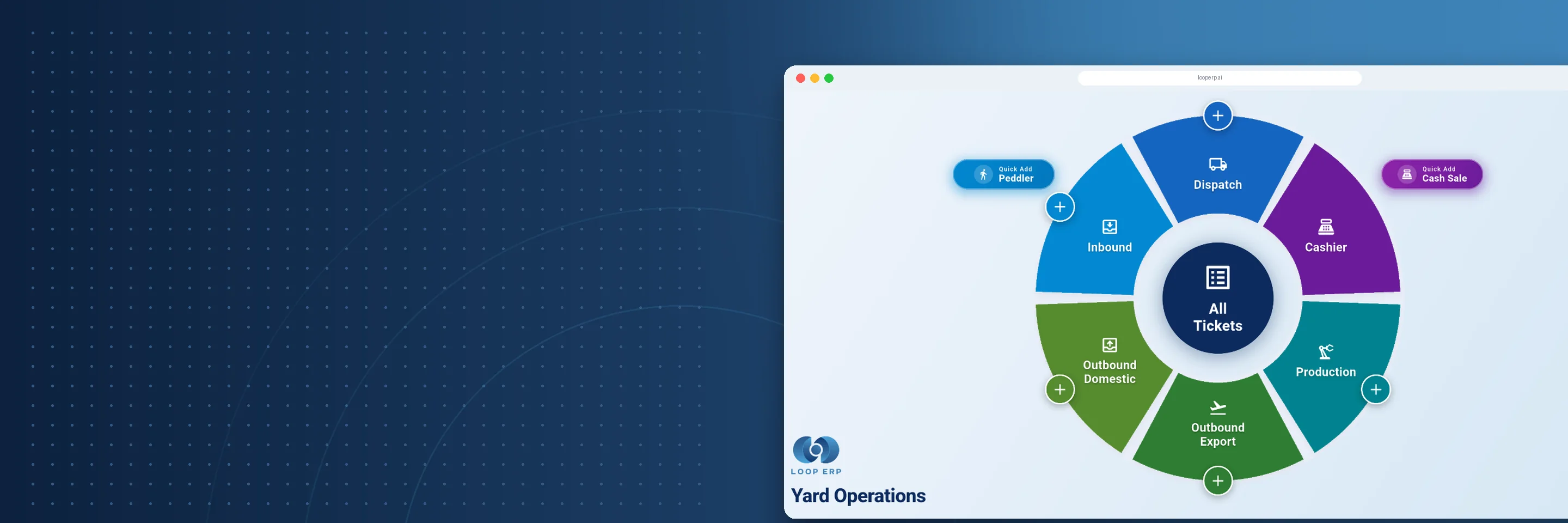
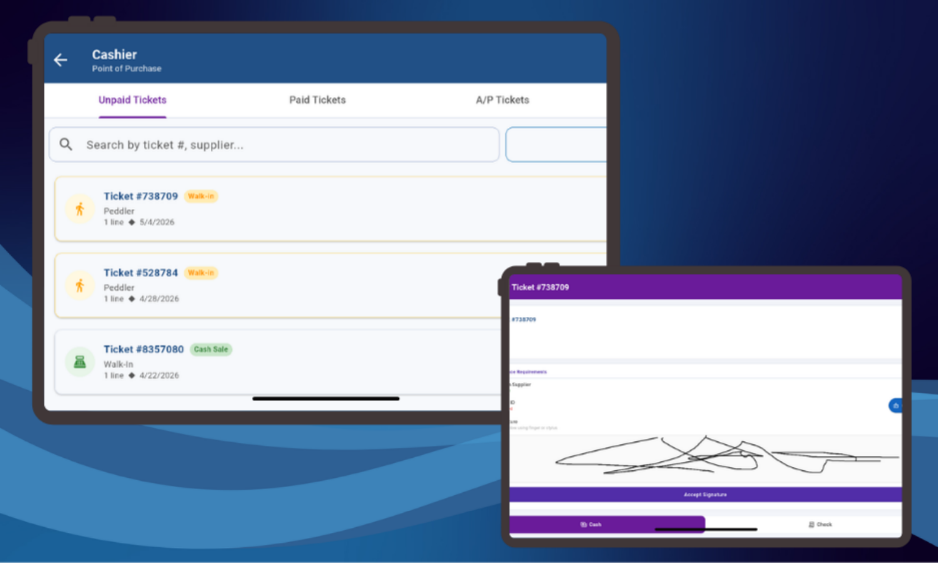
In the circular economy, value recovery doesn’t happen in a single office or warehouse—it happens across warehouses, loading docks, return centers, refurb facilities, partner sites, and the field. That’s why Loop ERP’s Mobile Applications are built for action in motion. Whether your team is scanning incoming returns, capturing inspection photos, confirming deliveries, or managing regrading workflows, they can do it all from the palm of their hand.

Loop ERP Mobile turns every smartphone and tablet into a smart operations terminal—connected, configurable, and ready to support every phase of your circular workflow.

img
icon

What It Does

The Mobile Applications feature in Loop ERP gives field teams, warehouse staff, drivers, inspectors, and partners access to real-time ERP functionality wherever they are. Built with responsive design and offline-ready capability, Loop ERP Mobile enables scan-to-record, image capture, status updates, and workflow execution—all tailored to the non-linear nature of circular operations.

What is a mobile ERP app for warehouse and field operations?

A mobile ERP app is an extension of your core ERP system that gives warehouse staff, drivers, inspectors, and field teams access to live operational data from a smartphone, tablet, or ruggedized scanner — without ever going back to a desktop. In materials-based businesses where value recovery happens across loading docks, return centers, refurb facilities, and partner sites, a disconnected workforce means delays in grading, receiving, and delivery confirmation that ripple back into inventory accuracy and invoicing. A purpose-built mobile ERP app connects those field actions directly to the same records the rest of the business runs on: scan a return and it's in the system; confirm a delivery and dispatch knows; log a grade and finance can see it. General warehouse apps and standalone scanning tools can capture data, but they don't close the loop back into your ERP. That gap is where mistakes happen and reconciliation time gets wasted.

Key Features

icon

Real-Time Inventory Scanning & Updates

Use built-in cameras or connected scanners to instantly capture inventory movements, grades, conditions, and locations.

icon

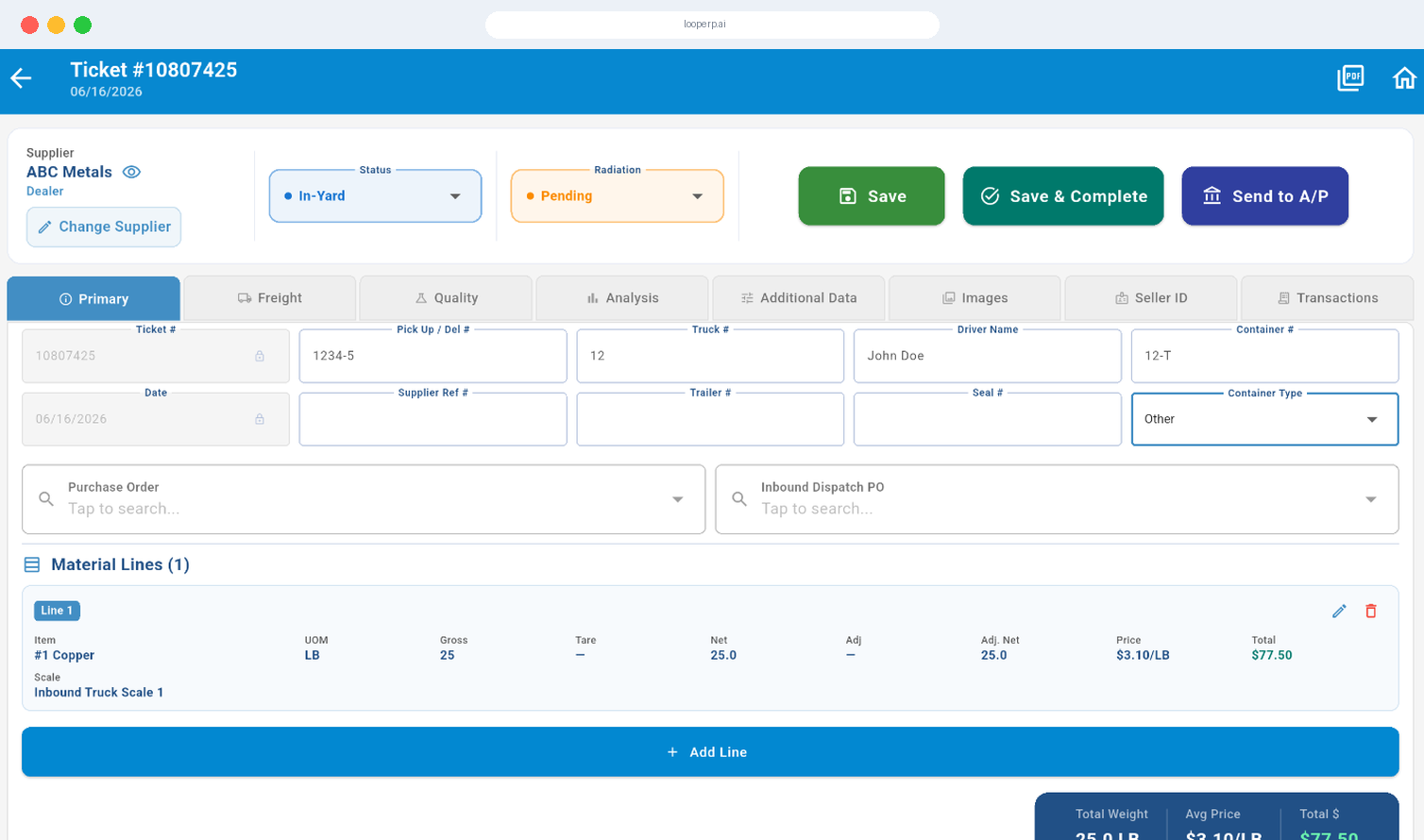
Mobile Receiving and Condition Triage

Receive materials from suppliers, customers, or partners directly into the system. Apply grades, tag condition, and route to refurbishment or recycling—all from your device.

icon

Mobile Dispatch and Delivery Execution

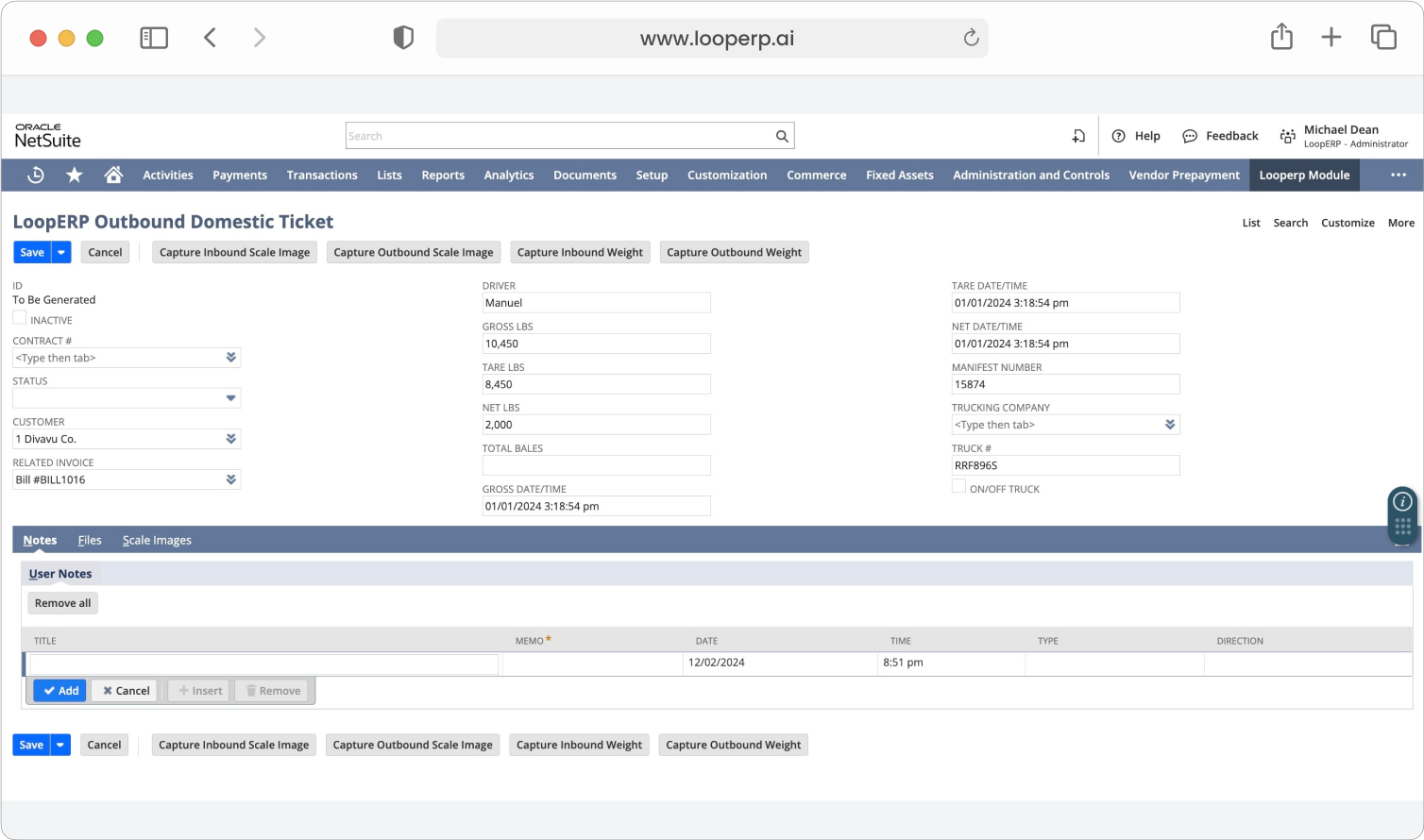
Enable drivers to manage pickups, deliveries, and inter-facility transfers using a mobile interface—complete with stop lists, GPS routing, proof of delivery, and condition logging.

icon

Quality Control and Inspection Tools

Perform inspections on the floor, at a workstation, or in the field. Log results, assign grades, record defects, and initiate corrective actions—all from a mobile device.

icon

Return Management and RMA Intake

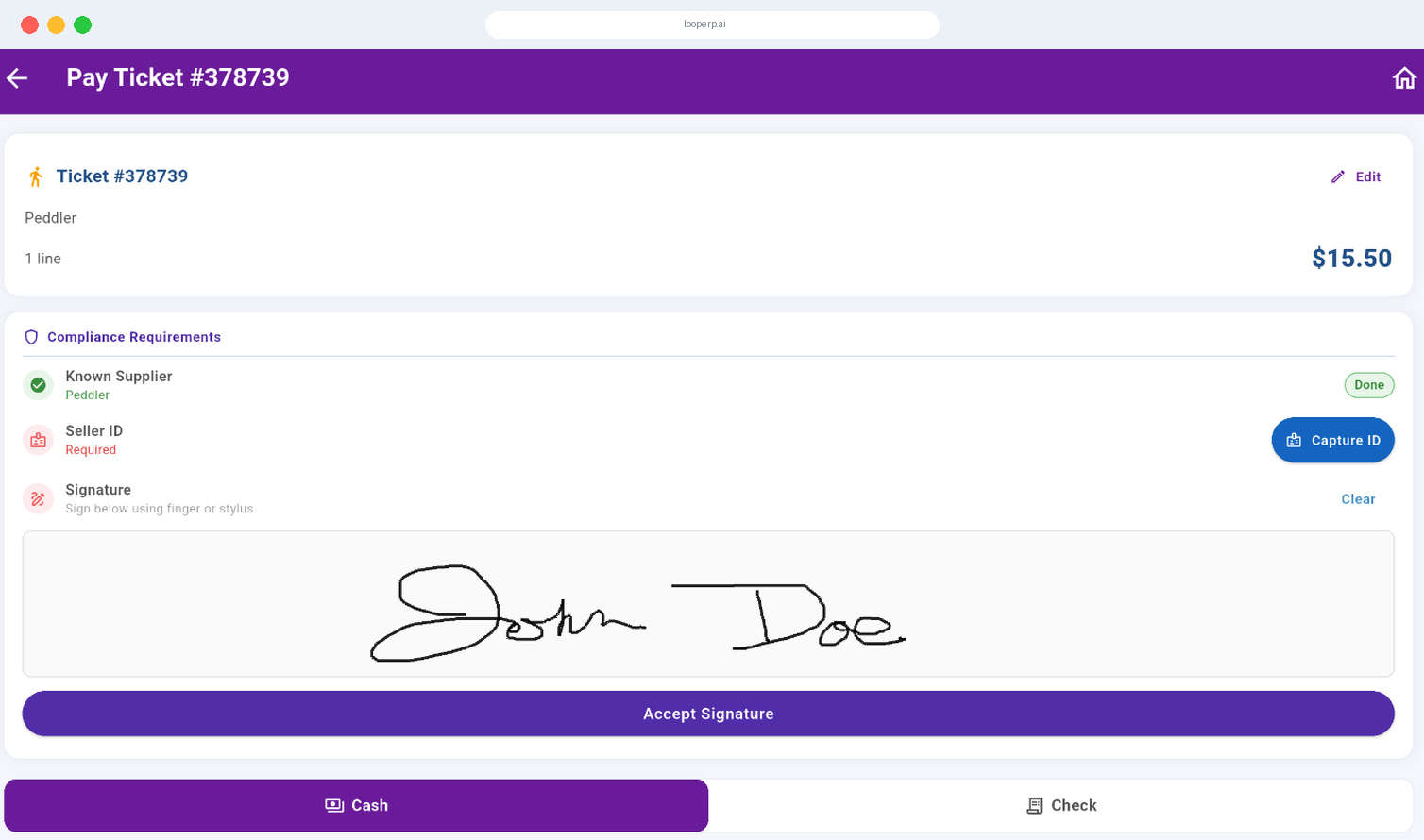
Process returns on the fly by scanning RMA labels, logging return reasons, and capturing visual condition evidence at the point of receipt.

icon

Role-Based Access and Personalized Workspaces

Each user sees only what they need—whether it’s a warehouse associate, refurb tech, fleet driver, or field coordinator.

icon

Device Flexibility and BYOD Support

Run Loop ERP Mobile on tablets, smartphones, ruggedized warehouse devices, or dedicated scanners. No proprietary hardware required.

img

Made for Teams on the Move

Loop ERP Mobile is built for businesses where operational reality happens away from the desk:

  • Warehouse staff scanning incoming pallets
  • Drivers capturing proof of delivery and pickup
  • Quality inspectors recording defects on the repair link
  • Field reps managing third-party recovery operations
  • Refurb teams documenting parts swaps and condition changes

In the circular economy, value flows in all directions. Loop ERP Mobile makes sure your team stays connected at every step.

Circular Operations, in Your Hands

Loop ERP’s Mobile Applications give your business real-time agility, operational control, and process continuity—wherever your people are. From condition-based triage to closed-loop logistics, the platform extends the power of your ERP to the field.

Schedule a Demo
img

Blogs

Latest Insights

See All Blogs
icon

April 23, 2026

EPR Reporting for Scrap Recyclers: What Your ERP Needs to Handle in 2026

icon

April 13, 2026

What Is Scrap ERP? And Why Generic Systems Fail Scrap Metal Recyclers

icon

March 31, 2026

What Is a Circular Economy ERP? A Plain-English Guide for Scrap, Recycling, and Materials Businesses

See All Blogs

Frequently Asked Questions

Everything you need to know about Loop ERP

Can Loop ERP handle large-scale operations?

icon

Yes. Loop ERP is built on NetSuite, the same platform used by enterprise operators, multi-site businesses, and high-volume processors. It handles multi-entity accounting, consolidated reporting across locations, high daily transaction volumes, and complex settlement structures without slowing down. If you are running one site today and five next year, you do not need to replatform to keep up.

How long does it take to implement Loop ERP?

icon

Implementation time varies, depending on the number of locations, material streams, and integrations involved (scales, cameras, payment processors, third-party logistics). The Loop ERP team handles data migration, workflow configuration, integration, and training in parallel, and we work directly with your operations leads, not just IT, so the system matches how your business actually runs on day one.

What makes Loop ERP different from other ERP systems?

icon

Most ERP systems treat inventory as static boxes on a shelf. Loop is built for inventory that changes grade, weight, and value at every step, which is how scrap, recycling, aggregate, brokerage, and similar materials-based businesses actually work. It is also NetSuite-native, so you do not need a separate accounting package, a middleware layer, or a patchwork of integrations to get from inbound ticket to closed financials. One login, one system, one source of truth for operations and finance.

What support does Loop ERP offer?

icon

Loop ERP provides implementation support, training for operations and finance teams, and ongoing technical support after go-live. Clients get access to documentation, how-to guides, and direct consultation with our team for troubleshooting, configuration changes, and new workflow setup. Support is handled by people who understand the difference between a ticketing issue and a grading exception, not a generic help desk working from a script.

How secure is Loop ERP?

icon

Loop ERP runs on Oracle NetSuite, so your data lives inside enterprise cloud infrastructure with encryption in transit and at rest, role-based access, and audit logging on every transaction. Ticket edits, grade changes, and settlement adjustments all carry a user stamp and timestamp. If a record is overridden or reclassified, you can see who did it and when, which matters for disputes, audits, and internal controls.