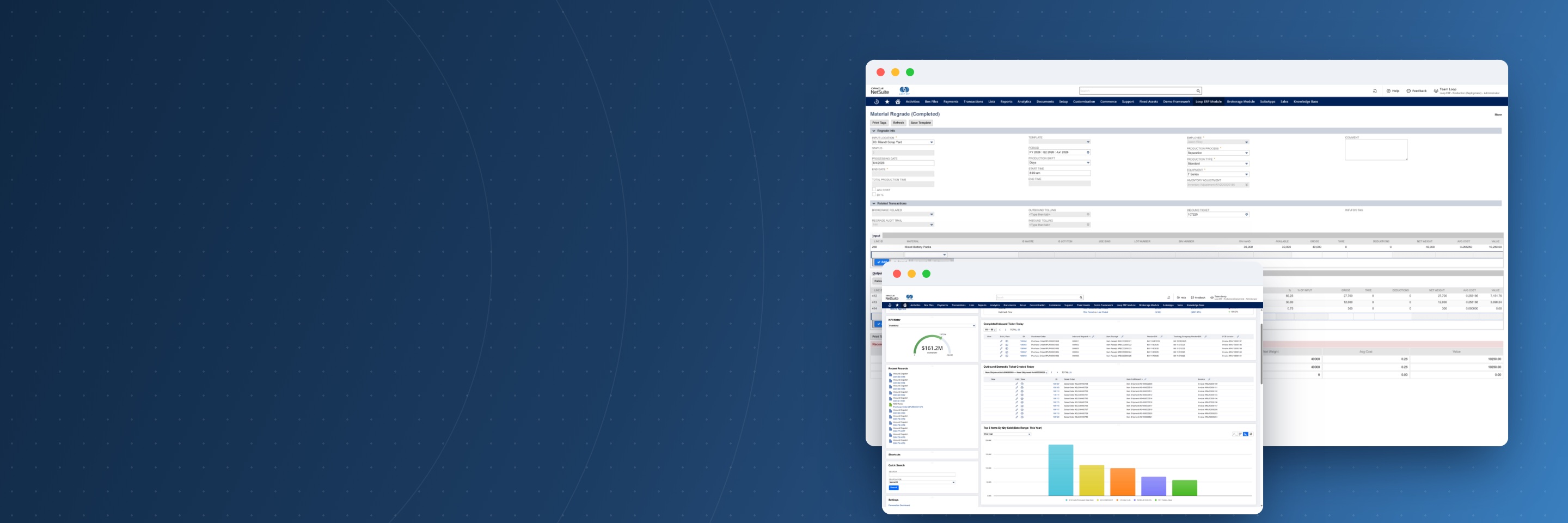
Loop ERP material regrade record and operations dashboard inside NetSuite

Loop ERP Implementation: Bringing Operations and Finance onto NetSuite

A rollout built around how your business already runs.

We start with how material comes into your yard, gets graded, moves, and gets sold or settled, and how finance closes the month. Then we configure Loop ERP and NetSuite to match, move your data over cleanly, and train every role before go-live, so operations and finance start working from the same records.

Overview

What Is a Loop ERP Implementation?

A Loop ERP implementation is the project that sets up Loop ERP inside your Oracle NetSuite account and gets your team working in it. We map your current workflows, configure Loop ERP and NetSuite financials to match, migrate your data, and train each role before go-live. It's delivered by our Professional Services team under a statement of work, scoped to your sites, material streams, and modules.

01

Built Around Your Workflows

We start from how your yard, dispatch, and finance teams work today, so the system fits your operation instead of forcing workarounds.

02

Operations and Finance Together

Tickets, inventory, and settlements post to the same NetSuite ledger, so both sides are configured in one project.

03

Clean Data From Day One

We migrate clean records and reconcile opening balances, so your first close starts from numbers you trust.

04

People Ready Before Go-Live

Each role trains in the real system with your own data and workflows before you switch over.

The Process

How a Loop ERP Implementation Runs

Timing depends on your locations, workflows, data, and integrations, so we estimate it after discovery, not before.

1
Discovery

How material and money move today

2
Configuration

Loop ERP and NetSuite set up to match

3
Data Migration

Clean records and reconciled balances

4
Testing and Training

Real transactions, every role trained

5
Go-Live

A live system with support behind it

Deliverables

What You Get, and What We Need From You

A good implementation is a shared project. Here's what we deliver and what we'll ask of your team along the way.

What We Deliver

  • A Loop ERP and NetSuite environment configured for your business
  • Loop ERP modules set up for your operation, from inbound and outbound tickets to quality control, pricing, inventory, dispatch, and mobile apps
  • Clean data migration and reconciled opening balances
  • Dashboards and reports for operations and finance
  • Role-based training in your own environment

What We Need From You

  • A project lead who can make decisions and keep the work moving
  • People from the yard, dispatch, and finance who know today's process
  • Access to the data you want to bring over
  • Time to test real transactions before go-live
  • Time for each role to attend training

Questions

Loop ERP Implementation FAQs

How long does a Loop ERP implementation take?

It depends on your number of locations, the workflows being configured, how much data you migrate, and which integrations are in scope. We give you a timeline after discovery, once the scope is clear.

Is implementation included in the subscription?

No. Implementation is a Professional Services engagement delivered under a statement of work, scoped to your sites, material streams, and the modules you use.

Do we need to be on NetSuite already?

Loop ERP runs inside Oracle NetSuite and needs an active, compatible NetSuite account. Loop ERP and NetSuite are separate subscriptions. If you're not on NetSuite yet, talk to us about where to start, and read what NetSuite provides.

Can you move data from our current system?

Yes. Data migration is part of the implementation. We map and clean the records you bring over, whether they live in yard software or spreadsheets, and reconcile opening balances. What gets migrated is agreed in the scope.

Who from our team needs to be involved?

A project lead, plus people from the yard, dispatch, and finance who know how work gets done today. They help shape the configuration, test it with real transactions, and attend role-based training.

What happens after go-live?

Your team works in the live system, and support for the Loop ERP application, included with every subscription, takes over. Professional Services stays available for new sites, modules, and process changes. See Support and Training.

Book a demo

Talk with Loop ERP

See how Loop ERP connects scale tickets, dispatch, inventory, settlements, and NetSuite financials in one system, with no exports, re-entry, or month-end reconciliation.

  • Your workflow, live. Walk a load from the scale ticket to the general ledger in NetSuite.
  • Industry experts. Talk with people who know scrap, recycling, aggregates, and brokerage.
  • A clear next step. Leave with a picture of what implementation looks like for your operation.

Request a demo

Share a few details and we'll set up a time that works for you.

Blogs

Latest Insights

See All Blogs
icon

October 21, 2026

Year-End Physical Inventory: How to Get Your ERP Data Ready Before Count Day

icon

October 15, 2026

EPR Deadlines Are Coming: What Scrap and Recycling Operations Need to Report Before Year-End

icon

October 9, 2026

Weight Tickets, Cost Per Ton, and ERP: How Aggregate Producers Connect Operations to Finance

See All Blogs