

Table of Contents
Imagine it’s the second week of December. The count sheets are printed, the forklift drivers have their zones, and the controller has just pulled the inventory report. The report says the yard holds 4,200 net tons of shredded steel. The pile out back looks closer to 3,800.
Nobody wants to stand at that pile with an auditor when the gap first shows up. A year-end physical inventory should confirm what your books already say. When it turns into a hunt for missing tons, the problem started months earlier, in drifted lot records, adjustments nobody closed, and scale tickets that didn't fully land in inventory.
The good news is that you can find most of those gaps before count day. This guide walks through the prep work, in the order that saves the most time.
Why the book number and the yard number disagree
Scrap and recycling inventory moves in ways most accounting systems weren't designed for. Material comes in on a provisional grade, gets sorted or baled, gets regraded, and goes out on a ticket that may settle weeks later. Each step gives the system a chance to fall behind the yard.
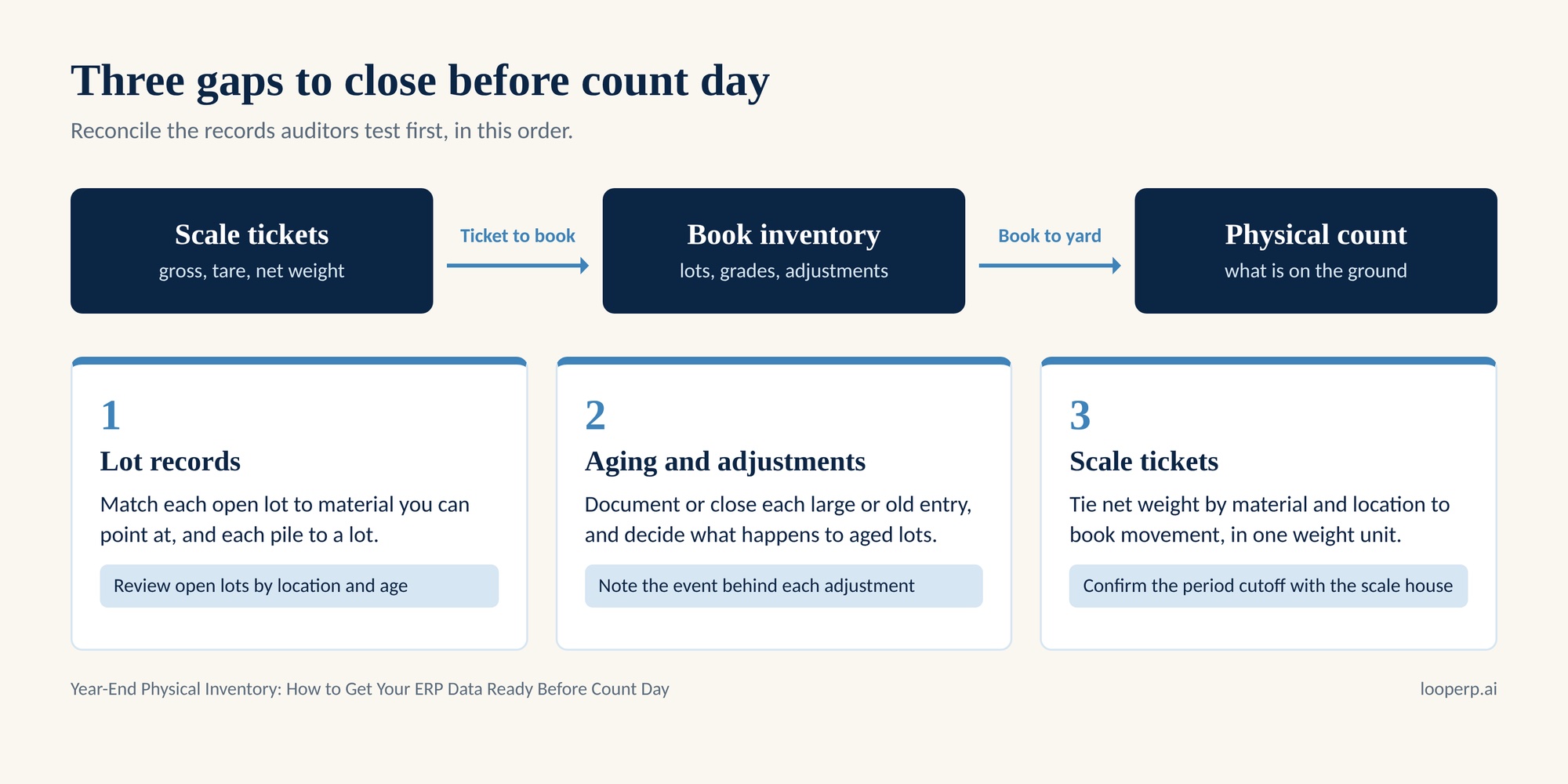
Most year-end variances trace back to three causes: lot records that no longer match what is physically on the ground, adjustment and aging entries that sat open long enough that nobody remembers why they exist, and scale tickets that were weighed but not matched to a receipt, a regrade, or a shipment in the books.
If your team keeps ticket data in one tool and inventory in another, a fourth cause shows up: timing. The ticket exists, the inventory record exists, and they just have not met yet.
Step 1: Reconcile your lot records first
Start with lots because everything else hangs on them. A lot is the unit your physical count will actually test, so a lot that is wrong in the system will be wrong on the count sheet.
Pull a list of open lots by location and sort by age. Then work through three questions for each location.
First, does each open lot map to material you can point at? A lot that shows 60 tons in a bin that was emptied in October is a book record with no pile behind it. Second, are there piles with no lot behind them? Material that got moved, combined, or staged without a transfer in the system is the most common source of unexplained overages. Third, do the lot grades match how the material is being handled today? If your crew has been treating a lot as a higher grade for weeks, the record should say so.
Good material lot tracking makes this step a review instead of an investigation. When each lot carries its movement history, condition changes, and link back to the inbound ticket, you can see where a lot went wrong instead of guessing. If you are working from spreadsheets or a separate yard tool, expect this step to take the longest.
Step 2: Resolve aging and adjustment entries
Open the aging report and the adjustment log, and read both with the auditor's eye. Auditors ask about old, large, or round entries, and about entries with no explanation attached.
Sort adjustments by amount and by date. For each large or old entry, you need an answer to one question: what happened to this material? Some entries will be legitimate, such as shrink, moisture, or a regrade that moved value from one grade to another. Those need a note that ties them to the event. Others will be corrections that were left unfinished, such as a weight fixed on the ticket but not in inventory, or a duplicate receipt reversed on one side only. Close those now, while the people who remember them are still around.
Aging inventory deserves its own pass. Material that has sat ungraded or downgraded for months is where write-down conversations start. Decide before count day whether each aged lot gets resold, reprocessed, or written down, and document the call. An auditor who sees a decision with a reason will move on. An auditor who sees a stale lot with no decision will keep asking.
Regrades need special attention. Each one should exist as its own transaction showing who changed the grade, when, and how quantity and value moved. If your regrades happen as a quiet edit to a lot record, you cannot prove the history, and you will spend countless weeks reconstructing it.
Step 3: Close the gap between scale tickets and book inventory
This reconciliation often finds the most dollars. Each scale ticket records gross, tare, and net weight, and each one should land somewhere: a purchase receipt, a sale, a transfer, or a regrade. A ticket that lands nowhere is material that entered or left the yard without a matching book entry.
Run a ticket-to-inventory reconciliation for the full year, or at minimum for the fourth quarter. Total the net weight from tickets by material and location, then compare it to the net change in book inventory for the same period. Differences usually fall into a short list:
- Voided or corrected tickets where the original weight still sits in inventory.
- Tickets entered after the period closed, which push receipts into the wrong month.
- Weight unit mismatches, such as a net ton booked against a gross ton or pounds keyed as tons.
- Tickets with no receipt or shipment attached, usually from after-hours loads or manual overrides.
State the unit on each figure you reconcile. A 2,000-pound ton and a 2,240-pound ton look identical in a report and cost real money when they get mixed. Check that your item records and your tickets use the same one.
Settle the cutoff while you are here. Pick the date and time when ticket activity stops counting toward the old year, tell the scale house, and make sure any ticket weighed after that point posts to the new period. A clean cutoff is one of the first things an auditor tests.
Step 4: Set count day rules in advance
With the records cleaned up, decide how count day will run. Freeze transfers and regrades in the affected areas while the count is underway, or log them with a time so the count team can adjust. Assign each zone an owner who can answer questions about the material in it. Decide how you will estimate piles and bunkers, who signs off on the method, and how you will record the result against the lot.
Plan for variance, too. A physical count of bulk material will rarely match the books to the pound, so agree ahead of time on the tolerance you will accept and the approval you need to book anything outside it. Writing the rule down before the count keeps the adjustment conversation calm.
A pre-count checklist
Use this list in the two weeks before count day.
- Review open lots by location and age, and match each one to material on the ground.
- Close or document each adjustment and aging entry above your review threshold.
- Reconcile scale ticket net weight to book inventory movement, in the same weight unit.
- Confirm the period cutoff with the scale house and the accounting team.
- Review regrade history for the quarter, including who made each change and why.
- Write down the variance tolerance and the approval path for adjustments.
What changes when operations and finance share one record
Everything above gets easier when a ticket, a lot, and an inventory balance live on one record. In Loop ERP, the ticket drives inventory creation, regrades post as transactions inside Oracle NetSuite, and finance sees the updated inventory as soon as the regrade is recorded. The inventory management system keeps regraded material linked to its inbound ticket, lot, and supplier, flags aging, ungraded, or downgraded inventory, and stamps grade changes with the user and time. Those are the same questions your auditor will ask, answered before anyone asks them.
The work does not disappear. Someone still walks the yard and counts. But the prep shifts from rebuilding history to reviewing it, which is a much better use of the first two weeks of December.
If you are weighing systems for next year's count, bring these questions to each demo: Can I see a lot's full movement history without a spreadsheet? Does a regrade create its own record with a name and a time? Can I trace a scale ticket to the inventory it changed? And when the ticket weight changes, does inventory change with it? Your answers will tell you whether the next count day looks like this one.
Start next year's count in October
The best year-end physical inventory is the one where the count team spends its time on the yard instead of the spreadsheet. Clean lots, close adjustments, and tie tickets to the books to get most of the way there.
Book a demo to see how Loop ERP keeps scale tickets, lots, and inventory on one record so count day confirms what your books already show.