Dispatch & Driver Management

Loop ERP Modules & Features

Dispatch Management Software Built for Materials-Based Operations

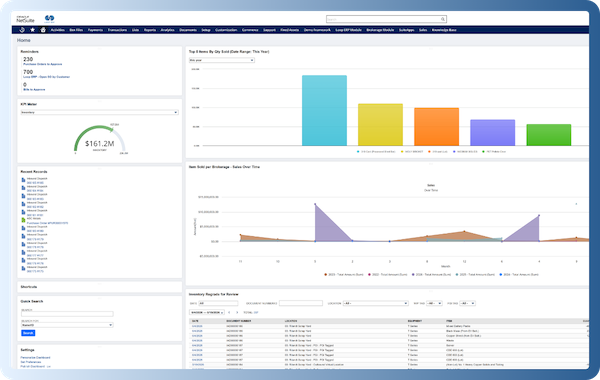
In the circular economy, dispatching isn’t just about last-mile delivery—it’s about multi-stop coordination, reverse pick-ups, condition-specific transfers, and ensuring that drivers are aligned with complex, real-time logistics. Whether you're picking up reclaimed goods from consumers, delivering refurbished items to marketplaces, or routing materials between partners, Loop ERP’s Dispatch & Driver Management feature function helps you manage the flow with efficiency and confidence.

This isn’t your average TMS add-on. It’s logistics built for circular velocity.

img
icon

What It Does

Loop ERP’s Dispatch & Driver Management feature centralizes the planning, assignment, execution, and monitoring of all transportation activity. It offers real-time visibility over routes, drivers, vehicles, stops, and materials in motion, while ensuring tight integration with inventory, customer service, returns, refurbishment, and recycling workflows.

For businesses with complex reverse and redistribution models, this feature enables you to plan smarter, execute faster, and prove chain of custody every step of the way.

What is dispatch and driver management in an ERP?

Dispatch and driver management software is a part of an ERP system that coordinates the movement of materials from the moment a load is assigned to a driver through to proof of delivery and settlement. For businesses handling pickups, transfers, and drop-offs across multiple stops, especially in recycling, scrap, aggregate, and similar materials-based industries, managing dispatch outside the ERP means drivers are working off one system, operations off another, and finance is waiting on both. A purpose-built dispatch module connects route assignments, driver instructions, GPS tracking, and chain-of-custody documentation directly to the inventory and billing records that the rest of the business runs on. When a load is picked up, graded, and delivered, the ERP already knows. No manual data re-entry, no delayed reconciliation, no guesswork on where a vehicle is or whether a stop was completed. That's the difference between a dispatch tool that tracks movement and one that actually closes the loop.

Key Features

icon

Central Dispatch Dashboard

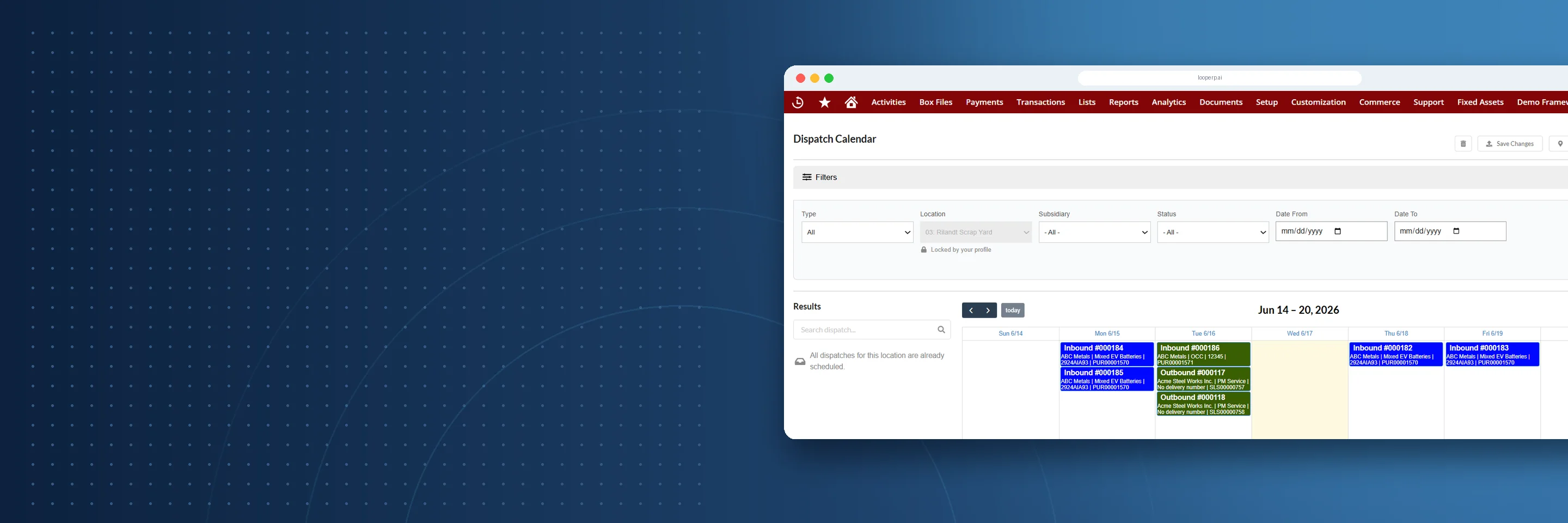
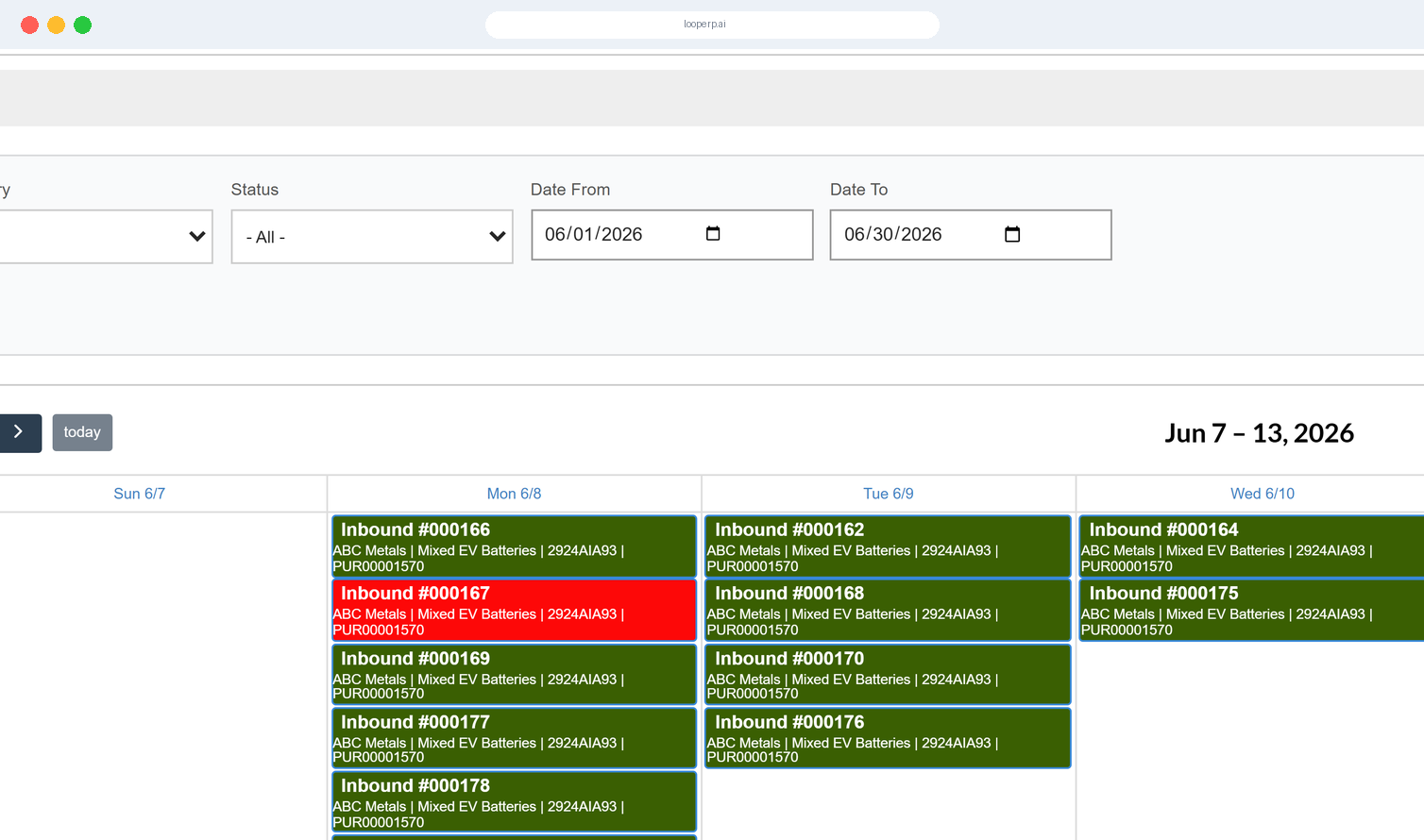
Plan and manage all outbound and inbound routes from a single interface. Track scheduled pickups, deliveries, and transfers by date, time, driver, and route.

icon

Driver Assignment & Workload Balancing

Assign deliveries, pickups, and route stops to drivers with configurable logic based on shift, territory, vehicle capacity, or type of goods handled.

icon

Multi-Stop & Multi-Type Route Support

Design routes that mix resale shipments, reverse pickups, partner returns, and recycling hauls—all in a single circuit.

icon

Mobile Driver App

Equip drivers with a mobile interface for viewing assignments, confirming pickups/drop-offs, capturing signatures, and logging issues in real time.

icon

Chain-of-Custody Tracking

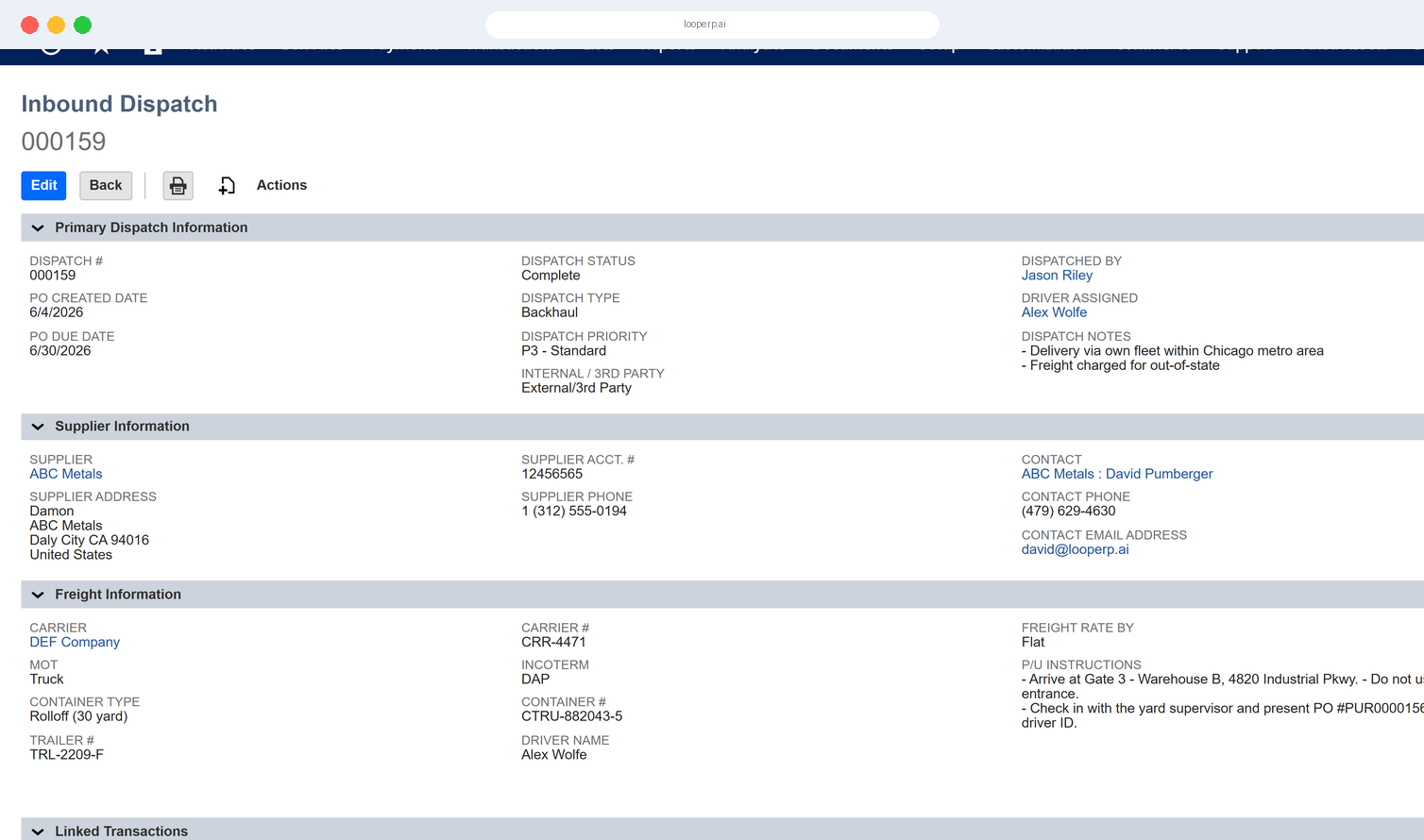
Ensure traceability of every item from departure to destination—including condition at handoff, timestamp, and recipient confirmation.

icon

Real-Time GPS and ETA Monitoring

Track every vehicle and stop in real time. Provide live ETAs to internal teams or partners, and adjust routes dynamically when issues arise.

icon

Returns & RMA Routing Integration

Automate driver scheduling for return pickups from consumers, retailers, or partners—tied directly to RMA or return orders in Loop ERP.

icon

Vehicle & Fleet Management

Log vehicle assignments, capacity limits, and usage data to optimize fleet performance and maintenance scheduling.

icon

Dispatch Exception Management

Handle failed deliveries, missed pickups, wrong location scans, or item mismatches with in-platform ticketing and automated rerouting.

img

Purpose-Built for Circular Logistics

Loop ERP’s Dispatch & Driver Management isn’t just about moving inventory—it’s about supporting the logistical complexity of circular value flow, including:

  • Coordinating pickups of returns, cores, or post-consumer goods

  • Scheduling drop-offs to refurb partners or downstream markets

  • Delivering based on item grade or condition-specific instructions

  • Routing across warehouse, field service, and recycling nodes

When value moves in more than one direction, Loop ERP helps you stay in control of how, where, and by whom

Control the Journey, Not Just the Destination

With Loop ERP, dispatching becomes a proactive, intelligent, and auditable part of your circular workflow. From mobile proof-of-delivery to real-time route visibility, every mile becomes a measurable advantage.

Schedule a Demo
img

Blogs

Latest Insights

See All Blogs
icon

April 23, 2026

EPR Reporting for Scrap Recyclers: What Your ERP Needs to Handle in 2026

icon

April 13, 2026

What Is Scrap ERP? And Why Generic Systems Fail Scrap Metal Recyclers

icon

March 31, 2026

What Is a Circular Economy ERP? A Plain-English Guide for Scrap, Recycling, and Materials Businesses

See All Blogs

Frequently Asked Questions

Everything you need to know about Loop ERP

Can Loop ERP handle large-scale operations?

icon

Yes. Loop ERP is built on NetSuite, the same platform used by enterprise operators, multi-site businesses, and high-volume processors. It handles multi-entity accounting, consolidated reporting across locations, high daily transaction volumes, and complex settlement structures without slowing down. If you are running one site today and five next year, you do not need to replatform to keep up.

How long does it take to implement Loop ERP?

icon

Implementation time varies, depending on the number of locations, material streams, and integrations involved (scales, cameras, payment processors, third-party logistics). The Loop ERP team handles data migration, workflow configuration, integration, and training in parallel, and we work directly with your operations leads, not just IT, so the system matches how your business actually runs on day one.

What makes Loop ERP different from other ERP systems?

icon

Most ERP systems treat inventory as static boxes on a shelf. Loop is built for inventory that changes grade, weight, and value at every step, which is how scrap, recycling, aggregate, brokerage, and similar materials-based businesses actually work. It is also NetSuite-native, so you do not need a separate accounting package, a middleware layer, or a patchwork of integrations to get from inbound ticket to closed financials. One login, one system, one source of truth for operations and finance.

What support does Loop ERP offer?

icon

Loop ERP provides implementation support, training for operations and finance teams, and ongoing technical support after go-live. Clients get access to documentation, how-to guides, and direct consultation with our team for troubleshooting, configuration changes, and new workflow setup. Support is handled by people who understand the difference between a ticketing issue and a grading exception, not a generic help desk working from a script.

How secure is Loop ERP?

icon

Loop ERP runs on Oracle NetSuite, so your data lives inside enterprise cloud infrastructure with encryption in transit and at rest, role-based access, and audit logging on every transaction. Ticket edits, grade changes, and settlement adjustments all carry a user stamp and timestamp. If a record is overridden or reclassified, you can see who did it and when, which matters for disputes, audits, and internal controls.