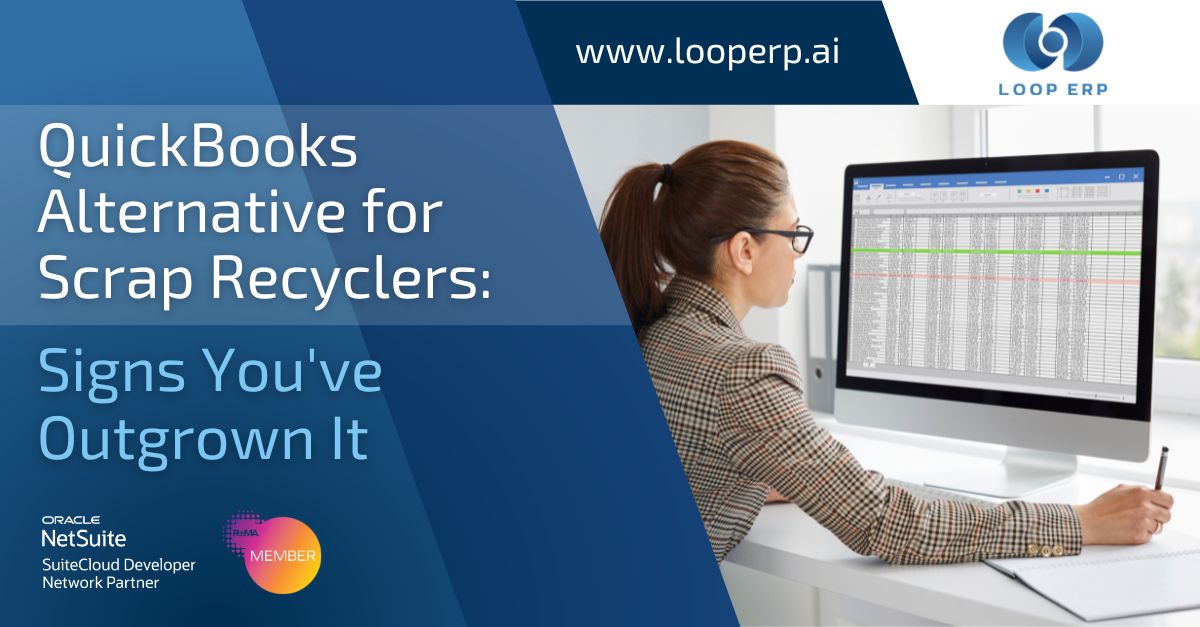
It's the Friday after month close, and your controller still has three browser tabs open: QuickBooks, the scale software, and a spreadsheet that reconciles the two by hand. A driver mentions a load that never got invoiced. Nobody's sure if it's in the system twice or not at all. This isn't a bad week. For a lot of scrap and recycling operations, it's every week.
QuickBooks isn't a bad product. It just wasn't built for what you're doing. It was built for businesses that buy at a fixed cost, sell at a fixed price, and don't need a scale ticket to know what they bought. Scrap and recycling work by weight, by grade, and often by a price that isn't final until days after the truck leaves. QuickBooks has no idea any of that happened. So you bolt on scale software, build a spreadsheet to bridge the gap, and hope the numbers agree at the end of the month.
This post covers the signs that stack has stopped working, what it's actually costing you, and what to look for when you're ready to replace it.
Almost every scrap or recycling business starts the same way. One yard, one scale, and QuickBooks handling the books because it's cheap, familiar, and good enough at first. Scale tickets get written on paper or captured in standalone software. Someone keys the totals into QuickBooks at the end of the day or the end of the week.
That setup works fine when volume is low, and one person can hold the whole operation in their head. It stops working the moment any of three things happen: you add a second site, your volume outgrows manual entry, or your customers and vendors start asking for information faster than your reconciliation process can produce it.
None of that means QuickBooks failed you. It means you've grown past what a generic accounting tool was ever meant to do.
If getting an invoice out the door means someone pulling scale tickets, checking them against a price sheet, and typing the result into QuickBooks by hand, you're not running a billing process. You're running a person. That person is a single point of failure, and their time is the real cost, not the QuickBooks license.
Ask what your current inventory is worth right now, not after next week's count. If the honest answer involves a shrug or a promise to check the spreadsheet, your inventory value isn't a fact. It's an estimate that gets corrected every time someone finally reconciles it, usually at month-end, usually downward.
The scale knows what came in. QuickBooks knows what got billed. If those two systems don't talk to each other, someone is the connection between them, copying numbers from one screen to another. Every manual entry is a chance for a ticket to get missed, duplicated, or mistyped, and nobody finds out until the numbers don't add up.
Close used to take three days. Now it takes eight, and half of that time goes to finding the discrepancy between what the yard says happened and what the books say happened. When close keeps stretching, it's rarely because your team got slower. It's because the volume of manual reconciliation grew faster than your team did.
One yard on a spreadsheet-and-QuickBooks workflow is painful but survivable. Two yards means twice the reconciliation, and it's rarely a clean multiplication because now you're also consolidating across locations by hand. Growth should make your operation more efficient, not less. If opening a new site means hiring another person just to manage software, the software is the problem.
The signs above share a root cause: operations data and financial data are captured in two places and reconciled by a person instead of a system. A purpose-built recycling ERP removes that gap by design. A scale ticket becomes a transaction record, not a piece of paper someone re-keys later. Settlements, regrades, and provisional pricing post directly to the ledger. Inventory value updates as material moves, not once a month when someone finally catches up.
That's the difference between an accounting tool with recycling bolted on and a system built around how recycling actually works: material bought by weight, priced provisionally, and settled later. Closing the loop between operations and finance isn't a feature you add on top of QuickBooks. It's the starting assumption a purpose-built system is built around.
Not every ERP built for "recycling" actually runs the yard and the books natively. Some just add a recycling label to a generic system, and you end up trading one set of manual workarounds for another. Before you commit to a replacement, evaluate vendors against the specifics: native scale ticket capture, purchase settlements with provisional pricing, weight-based grade-specific inventory, and a financial backbone that lives in the same system as operations, not bolted on through an integration.
For the full evaluation framework, including a 12-point scoring checklist you can use in vendor conversations, see How to Choose ERP for Recycling: A Buyer's Guide.
Loop ERP is built inside NetSuite specifically for scrap, recycling, and similar materials-based industries. A load enters the gate, the scale ticket captures weight and grade, and that ticket flows straight into settlements, inventory, and the general ledger, all in one system. No exporting from scale software. No re-keying into QuickBooks. No spreadsheet holding the two together.
That means invoicing draws from the same record the scale created, so it doesn't wait on someone to manually assemble it. Inventory value reflects what's actually on the ground because it updates as material moves through the yard, not after a month-end count. And close gets shorter because operations and finance were never separate systems to reconcile in the first place.
For a closer look at how this plays out on the finance side specifically, see What ERP Actually Does for Scrap Finance Teams.
One login. One system. Total control.
How do I know if my scrap or recycling operation has outgrown QuickBooks?
The clearest signals are manual invoicing that depends on one person, an inventory value you can't trust without a fresh count, scale data that has to be re-entered into your books by hand, and a month-end close that keeps taking longer as you grow. If two or more of these describe your operation today, it's worth evaluating a purpose-built alternative.
What's the difference between QuickBooks plus scale software and a purpose-built recycling ERP?
QuickBooks plus scale software are two separate systems connected by manual entry or a basic integration. A purpose-built recycling ERP runs scale tickets, settlements, inventory, and financials in one system, so a load entering the yard produces a single transaction record instead of data spread across multiple tools.
Will switching from QuickBooks disrupt operations during implementation?
Implementation timelines vary with complexity, typically a few weeks for a single site and a few months for a multi-site operation with more workflows to migrate. A vendor with direct recycling experience should be able to walk you through data migration for vendor records, scale ticket history, and inventory classifications without stopping your operation.
Does a recycling ERP replace QuickBooks entirely?
Yes. A purpose-built recycling ERP includes a full financial backbone, AR, AP, GL, and reporting, so it replaces QuickBooks rather than sitting alongside it. The difference is that the financial data is generated by the same system running your scale tickets and settlements, instead of imported from somewhere else.
How long does migration off QuickBooks typically take?
Most scrap and recycling operations complete migration in a few weeks to a few months, depending on the number of sites, the volume of historical data being migrated, and how many workflows need to be mapped. A single-site operation with clean records moves faster than a multi-site business consolidating several years of settlement history.
Loop ERP is a NetSuite-powered ERP built for scrap, recycling, aggregate, brokerage, and similar materials-based industries. It connects scale tickets, settlements, inventory, and finance in one system. Built for the job.
Powerful, self-serve product and growth analytics to help you convert, engage.
Blogs
September 23, 2026
Closing the Books on Q3: Why Manual Reconciliation Breaks Down at Quarter-End
September 16, 2026
Material Traceability Software: What ESG and Compliance Teams Actually Need
September 10, 2026
Scale House Software Explained: Ticketing, Dispatch, and the Financial Handoff