
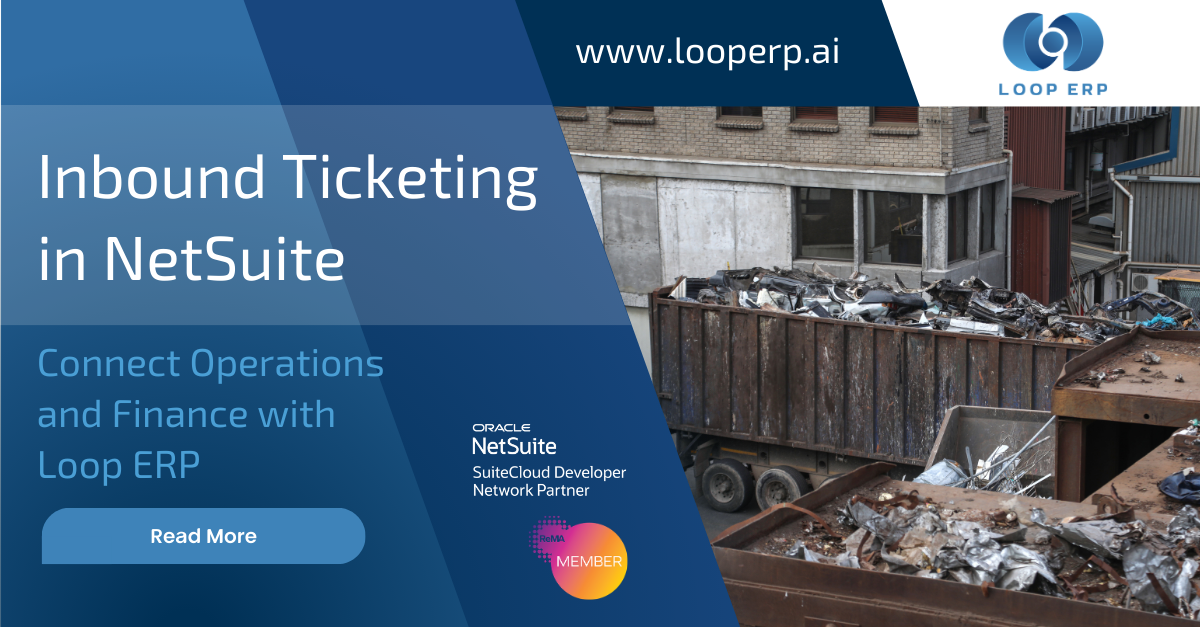
For many scrap, recycling, aggregate, agriculture, and seafood businesses, inbound ticketing is where operational speed and financial accuracy either come together or fall apart.
At the scale, teams need to move fast. In accounting, teams need complete, reliable data. But in many operations, those two groups still work across disconnected systems. The yard captures the ticket. Accounting re-enters the same information into an ERP or accounting platform. Then someone has to reconcile the differences, fix errors, and chase down missing details.
That creates delays, extra labor, and numbers people do not fully trust.
This is exactly the gap Loop ERP is built to close.
In this demo, Jason Riley, Product Director at Loop ERP, walks through how inbound ticketing in NetSuite works when operations and finance share the same native workflow. Instead of treating ticketing as a stand-alone yard process, Loop ERP connects inbound activity directly to purchasing, receiving, billing, freight, inventory valuation, and financial visibility inside Oracle NetSuite.
For companies that buy, weigh, process, and resell material, inbound ticketing is not a minor step. It is the front door to inventory, supplier settlements, freight tracking, and downstream accounting.
Yet many businesses still rely on a patchwork of tools.
That process slows everyone down.
Operations teams are focused on getting trucks in and out quickly. Finance teams are left recreating transactions later. By the time accounting sees the impact of a ticket, the material may already be processed, blended, sold, or moved to another site.
If your team is still dealing with disconnected ticketing, inbound ticketing in NetSuite becomes much more than a workflow improvement. It becomes a way to remove friction between the yard and the back office.
The demo centers on a single inbound ticket, but the value is much bigger than one transaction screen.
Jason shows how Loop ERP handles inbound ticketing natively inside NetSuite for weight-based industries, including scrap metal recycling, circular economy operations, seafood, meat processing, and agriculture. Any business that buys and sells material by weight can benefit from this model.
The key idea is simple: one ticket becomes one source of truth.
Instead of forcing users to re-enter the same information in multiple places, Loop ERP carries data forward from earlier transactions such as purchase orders and dispatch records. That means scale operators do not need to key in the same details over and over again.
That matters because speed at the scale is not just an operational goal. It affects labor efficiency, customer experience, queue times, and overall throughput.
One of the clearest takeaways from the demo is that Loop ERP is designed to reduce what scale operators need to enter during an inbound transaction.
In an ideal workflow, the operator only needs to confirm or capture a few critical details, such as:
The rest of the data can flow in from linked records upstream.
That is a major improvement over systems where operators manually enter supplier data, pricing references, freight details, and line-level material information every single time. Fewer keystrokes means faster ticket creation, and faster ticket creation means less congestion and less room for mistakes.
This is where inbound ticketing in NetSuite becomes a real operational advantage. It helps the people at the scale move quickly without sacrificing the accuracy finance needs later.
The strongest part of the demo is how clearly it shows the connection between an inbound ticket and the financial records it creates.
Once the ticket is completed, Loop ERP can trigger the related downstream transactions in NetSuite.
This is a major shift from the old model where accounting has to recreate the operational activity manually after the truck has already left.
With Loop ERP, the inbound ticket is not isolated from finance. It is the transaction that initiates the financial chain.
That means accounting can see the impact in real time instead of waiting for someone to send over a spreadsheet, email, or handwritten ticket summary. It also means teams spend less time searching for the original purchase order, dispatch record, or receiving status, because those linked transactions are visible directly from the ticket.
For businesses trying to improve trust in their numbers, inbound ticketing in NetSuite helps by creating a clear, connected trail from operational activity to financial outcome.
Freight is often treated as a separate expense that gets tracked somewhere else. In the real world, that creates an incomplete view of material cost.
The demo shows how Loop ERP brings freight directly into the inbound transaction so it can affect line-level cost and inventory valuation. That is a big deal for companies operating in industries with thin margins and volatile pricing.
When freight is included at the transaction level, teams can see:
Without that connection, teams often fall back on spreadsheets to estimate true cost after the fact.
Loop ERP removes that extra work by making freight part of the same operational and financial workflow. That gives teams clearer reporting and a more accurate picture of profitability.
Inbound material decisions are rarely based on weight alone. Businesses often need to track other attributes tied to quality, compliance, and valuation.
In the demo, Jason highlights how Loop ERP can capture details such as:
This matters because inbound ticketing is not just about recording that a truck arrived. It is about documenting what was received, what it is worth, how it should be classified, and how it should flow into inventory and finance.
For operators, that means better visibility. For finance, that means cleaner data. For leadership, that means more confidence in reporting.
Generic ERP workflows often struggle in industries where material is bought, graded, priced, adjusted, and settled by weight. That is why so many businesses still end up using spreadsheets and disconnected point solutions around the ERP.
Loop ERP takes a different approach. It is built natively in Oracle NetSuite and designed for the realities of circular economy and other weight-based operations.
For these businesses, inbound ticketing in NetSuite is not just an efficiency upgrade. It is a way to connect the front line of operations to the financial system without relying on re-entry and workarounds.
If your team still manages ticketing in one system and accounting in another, the cost shows up everywhere:
Loop ERP addresses that by giving both teams the same source of truth.
Operations can move faster. Finance can see the results in real time. Leadership gets clearer visibility into what is happening across purchasing, receiving, inventory, and financials.
That is the real value of this demo. It shows that inbound ticketing in NetSuite can be more than a transaction entry process. It can be the workflow that finally connects the yard to the general ledger.
If your business is still juggling disconnected systems for ticketing, settlements, freight, and inventory tracking, this Loop ERP demo is worth watching.
You will see how one inbound ticket can drive operational speed, cleaner data, accurate inventory valuation, and real-time financial visibility, all inside Oracle NetSuite.
Want to see how Loop ERP fits your operation? Contact us to schedule a demo and see how inbound ticketing in NetSuite can help your team move faster and work from the same numbers.

Inbound ticketing in NetSuite is the process of recording incoming material transactions, including supplier details, weights, pricing, and receiving activity, directly inside NetSuite. With Loop ERP, that process also connects to item receipts, vendor bills, freight chargebacks, and inventory valuation.
It affects scale speed, supplier settlements, inventory accuracy, and financial visibility. When inbound ticketing is disconnected from finance, teams usually end up with re-entry, reconciliation delays, and spreadsheet rework.
Loop ERP reduces manual entry, links upstream and downstream transactions, captures line-level and quality data, includes freight in the workflow, and gives finance real-time visibility into the transaction impact.
No. Loop ERP is built for circular economy and other weight-based industries, including scrap, recycling, aggregate, agriculture, seafood, and similar operations that depend on accurate ticketing and connected financial workflows.
A separate system may capture the transaction, but it often leaves accounting to recreate the financial side later. Loop ERP connects operations and finance in one native NetSuite workflow, so the same ticket drives the related business and accounting records.
Powerful, self-serve product and growth analytics to help you convert, engage.
Blogs
September 10, 2026
Scale House Software Explained: Ticketing, Dispatch, and the Financial Handoff
September 3, 2026
What ERP Do Scrap Yards Use? A Buyer's Guide for Q4 Planning Season
August 27, 2026
When Inventory Aging Costs More Than the Material: How to Optimize Summer Stockpiles


